- The Math Nobody Talks About
- What a Lead Platform Click Actually Buys You
- The Pre-Spend Website Checklist
- Phone Number Visibility
- Page Load Speed
- Mobile Usability
- Service Area and Services Accuracy
- Clear Calls to Action
- Reviews On Your Own Site
- Answering the Phone When It Rings
- Turning Estimates into Booked Jobs
- Making Online Booking Actually Easy
- Reviews Are Doing More Work Than You Think
- Keeping Your Website Current Without a Marketing Team
- What This Means Before Your Next Platform Payment
Every lead you buy from Thumbtack or Angi sends a potential customer to your website before they call you. If that website loads slowly, buries your phone number, or looks like it hasn’t been touched since 2015, you’ve paid for a click that goes nowhere. The platform did its job. Your website didn’t.
The Math Nobody Talks About
Home-service owners spend a lot of time comparing what Thumbtack charges per lead versus what Angi charges, which platform sends better-qualified homeowners, and which one has friendlier customer support when a lead turns out to be fake. These are reasonable things to argue about. But they skip over the part of the process that actually determines whether any of that spending pays off.
Here’s what actually happens when someone clicks a lead platform listing or gets matched with your business: they almost always check you out before calling. They look at your reviews, sure, but they also look at your website. They want to see if you’re a real, established company or a guy with a truck and a phone number. If your site doesn’t answer that question fast, they move to the next name on the list, and the money you spent to get in front of them is gone.
This is the part of the funnel that gets ignored. Owners will spend hundreds or thousands of dollars a month on lead platforms, then let their website sit untouched for years. It’s backwards. The platform is just the delivery truck. The website is the storefront. If the storefront is dark, it doesn’t matter how many trucks show up.
What a Lead Platform Click Actually Buys You
When someone requests a quote through Thumbtack or gets matched through Angi, you’re not necessarily getting a phone call right away. In a lot of cases, you’re getting a name, maybe a message, and an opportunity to make a first impression. That homeowner is going to Google your business name before they commit to anything. They want to confirm you’re licensed, see what other customers say, and get a feel for whether you’ll show up on time and do the job right.
If your website is the first thing they find and it loads for eight seconds on their phone, lists a service area you stopped covering two years ago, or has a contact form that doesn’t work, you’ve lost the lead you already paid for. This isn’t a hypothetical. It’s the most common way paid lead budgets quietly leak away without anyone noticing, because the platform still shows the lead as “delivered.” Whether it converted is on you.
The Pre-Spend Website Checklist
Before you send another dollar to a lead platform, walk through your own website the way a stranger would. Here’s what to check.
Phone Number Visibility
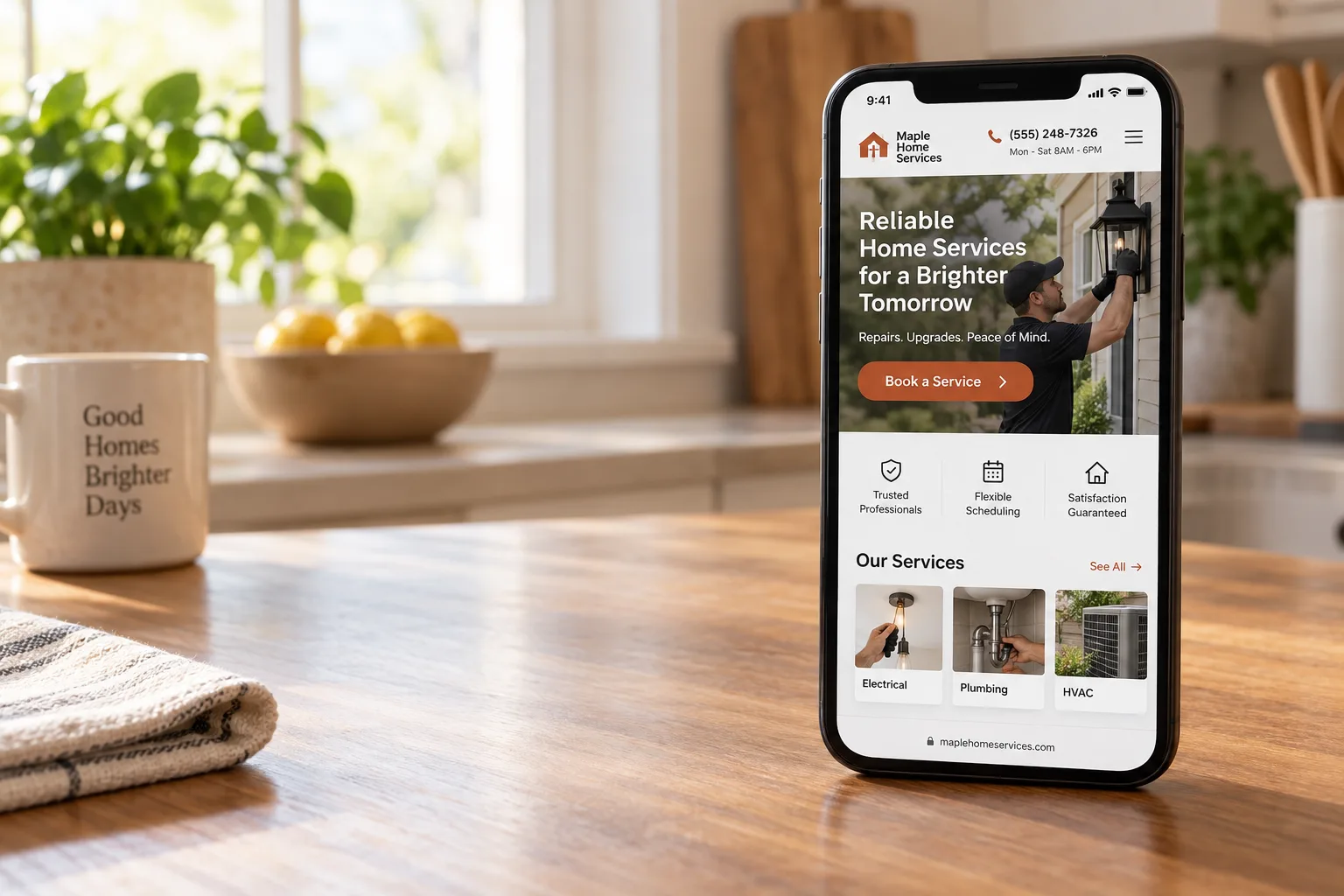
Your phone number needs to be visible on every page, not buried in a footer in gray text. On mobile, it should be a tappable button near the top of the screen. If someone has to scroll or hunt to find a way to contact you, they’ll leave. This is the single easiest fix on this entire list and it takes five minutes to check.
Page Load Speed
Most people browsing on their phone will give a site about three seconds before they bail. If your website has a giant unoptimized hero image or video that loads slowly, that’s lost business every single day. You don’t need to understand the technical side of this. You just need to know it’s a problem, and if your site feels sluggish on your own phone over cellular data, it’s sluggish for your customers too.
Mobile Usability
Pull up your website on your phone right now. Is the text readable without zooming? Do buttons actually work with a thumb tap? Does the layout look like it was designed for a phone, or does it look like a desktop site that got shrunk down? The overwhelming majority of people clicking a lead platform ad or search result are doing it on a phone, often while standing in their kitchen dealing with a leak or a broken AC. If your site isn’t built for that moment, you’re asking a stressed-out person to do extra work to reach you.
Service Area and Services Accuracy
Go through every page and confirm the services and cities listed are still accurate. If you stopped doing new construction work, or you no longer service a certain town, and your website still says you do, you’re going to generate confused leads and wasted calls. This also matters for how search engines and lead platforms understand your business, because outdated information can actually work against you in matching.
Clear Calls to Action
Every page on your site should make it obvious what the visitor should do next. Call now. Book an estimate. Request service. If your homepage is just a wall of text about your company history with no clear next step, visitors won’t know what to do and most won’t bother figuring it out. A clear, repeated call to action isn’t pushy. It’s a courtesy to someone who’s already decided they might want your help.
Reviews On Your Own Site
Your reviews shouldn’t live only on Google or Angi. Pull some of your best ones onto your homepage and service pages. When someone lands on your site straight from a lead platform, they shouldn’t have to leave and go searching for proof you’re legitimate. Put it right in front of them.
Answering the Phone When It Rings
A good website gets the phone to ring. What happens next matters just as much, and it’s where a lot of paid leads actually die. If a call goes to voicemail during business hours, a meaningful share of callers will simply call the next company on their list instead of leaving a message. This is especially true for people coming from a lead platform, because they often requested quotes from multiple companies at once. Whoever answers first and sounds competent usually wins the job.
This doesn’t mean you need a call center. It means someone on your team needs to own answering the phone, or returning missed calls within minutes, not hours. If you’re a one-person operation and you’re on a roof or under a sink most of the day, consider a simple rule: check your phone between jobs, every single time, and call back immediately. The lead you paid for has a short shelf life. Treat every missed call from a new number as urgent, because it probably is.
Turning Estimates into Booked Jobs
Getting someone to request an estimate is only half the job. A lot of home-service businesses lose jobs after the estimate because the follow-up is weak or nonexistent. If you give someone a quote and then don’t hear from them in two or three days, don’t assume they went with someone else. Call them. Ask if they have questions. People get busy, quotes get buried in email, and a short, polite follow-up call closes more jobs than most owners realize.
Write down a simple rule for your business: every estimate gets a follow-up within 48 hours if the customer hasn’t responded. It doesn’t need to be complicated. A text message works fine: “Hi, just checking in on the quote I sent for your water heater. Happy to answer any questions.” That single habit, done consistently, will recover jobs you’d otherwise lose to silence.
Making Online Booking Actually Easy
Some homeowners, especially younger ones, would rather book online than call at all. If your website doesn’t offer any way to request an appointment without picking up the phone, you’re losing a segment of customers who simply won’t call. This doesn’t have to mean a fully automated scheduling system. Even a simple request form that asks for the basics (name, address, issue, preferred time) and gets routed to your phone or email gives those customers a path forward.
The key is making sure that form actually works and that someone checks it regularly. A broken contact form is one of the most common and most invisible problems on small business websites. Test yours today by filling it out yourself and confirming you receive the submission.
Reviews Are Doing More Work Than You Think
Lead platforms show your review score prominently, and so does Google. But reviews do more than build trust in the moment someone is deciding whether to call. They also feed into how often your business shows up in local search results and how favorably platforms like Angi rank you against competitors. A business with twelve reviews from three years ago looks stagnant next to a competitor with fresh reviews coming in every week.
Make asking for reviews part of your actual workflow, not an afterthought. The best time to ask is right after the job is done and the customer is happy, while the experience is fresh. A simple text with a direct link to your Google review page, sent the same day, will outperform any effort to track people down weeks later. Make this a habit for every technician or crew lead, not just something the owner remembers to do occasionally.
Keeping Your Website Current Without a Marketing Team
Most home-service owners aren’t marketers, and they shouldn’t have to become one just to keep a website functional. But a website is not a one-time purchase you set up once and forget. Your services change, your service area shifts, your team grows, and your pricing evolves. If none of that gets reflected on your site, the gap between what your website says and what your business actually does gets wider every year.
Set a recurring reminder, even just once a quarter, to review your own website the same way you’d review your truck or your tools: is everything up to date, is anything broken, does it still represent the business you’re running today? Twenty minutes every few months catches most of the problems before they cost you leads.
What This Means Before Your Next Platform Payment
None of this is an argument against Thumbtack or Angi. Both can bring in real jobs. But the return on that spending depends entirely on what happens after the click, and that part is fully within your control. A homeowner who requests a quote through a lead platform and then lands on a slow, outdated, confusing website isn’t going to blame the platform. They’re just going to call someone else.
Before you increase your budget on either platform, or decide one is “better” than the other, spend an afternoon fixing your own site. Check your phone number placement, test your load speed on your own phone, confirm your service list is accurate, make sure your contact form works, and put your best reviews where visitors can actually see them. These are not expensive fixes. Most of them cost nothing but attention.
If your website still isn’t closing the jobs your paid leads are generating after you’ve gone through this list, the problem may be bigger than a few tweaks. It may be time for a site built specifically to convert the traffic you’re already paying for. That’s the kind of work Lead Furnace does for home-service businesses every day, and it’s worth a conversation before you spend another dollar on lead generation. Visit www.theleadfurnace.com to see how it works.
Frequently Asked Questions
A website acts as the storefront for your business when leads come from Thumbtack or Angi. Potential customers will often check your website to verify your legitimacy and see your services. If your site is slow or hard to navigate, they may leave without contacting you, resulting in wasted lead spending.
Start by ensuring your phone number is prominently displayed on every page, ideally as a tappable button on mobile devices. Additionally, check your page load speed; aim for under three seconds to keep visitors engaged. Lastly, optimize the mobile usability of your site, making sure text is readable and buttons are easy to tap.
Avoid burying your contact information in footers or using outdated service area details. Ensure that your website is mobile-friendly, as most leads will access it from their phones. Additionally, make sure that all links and contact forms are functional, as broken elements can lead to lost opportunities.
Regular updates are crucial for maintaining a professional appearance and ensuring accuracy. Aim to review your website at least every six months to update content, check for broken links, and refresh images. This helps keep your business relevant and shows potential customers that you are active and engaged.
Website design significantly impacts first impressions and can determine whether a lead converts. A clean, modern design with intuitive navigation encourages potential customers to explore further. If your website looks outdated or is difficult to use, leads may perceive your business as unprofessional, leading them to choose competitors instead.